A full phishing simulation platform for teams who want measurable security awareness—without wrestling a giant enterprise suite.
Visit live site →Below is a tour in plain language—each panel is something we actually shipped. Screens are from a demo environment so you can see the UI without exposing a real customer.
Step 1 of 7
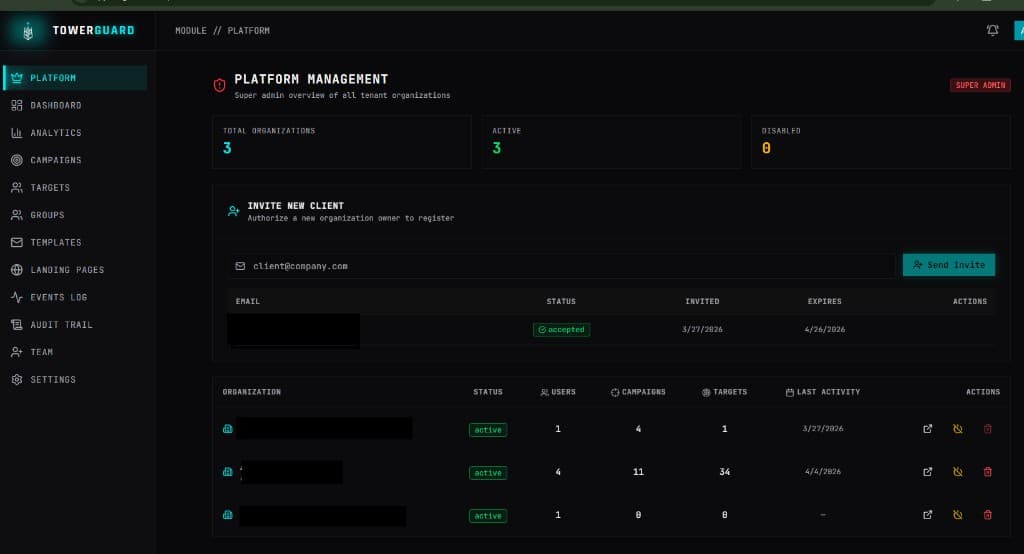
This is the view for the small group that operates Tower Guard itself—not your customer’s day-to-day admin. You can see how many organizations are on the product, who’s active, and who’s still waiting on an invite.
What you get here
Step 2 of 7
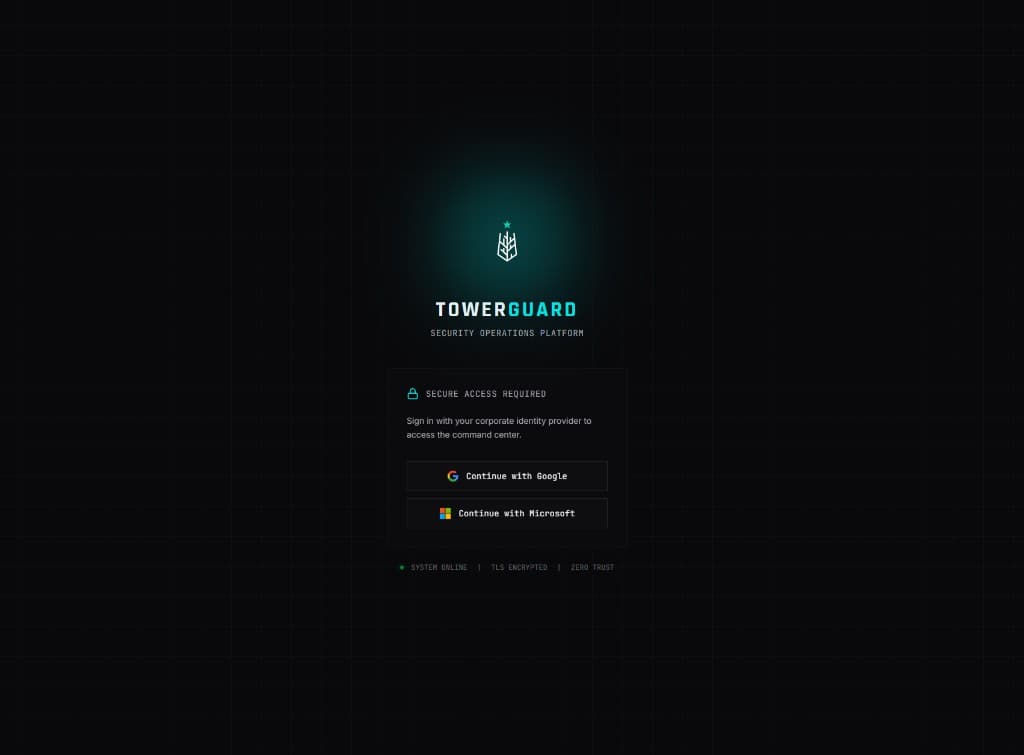
Nobody wants another unique password for a security tool. The front door is built around the identity providers teams already use, so rollout feels familiar instead of scary.
What you get here
Step 3 of 7
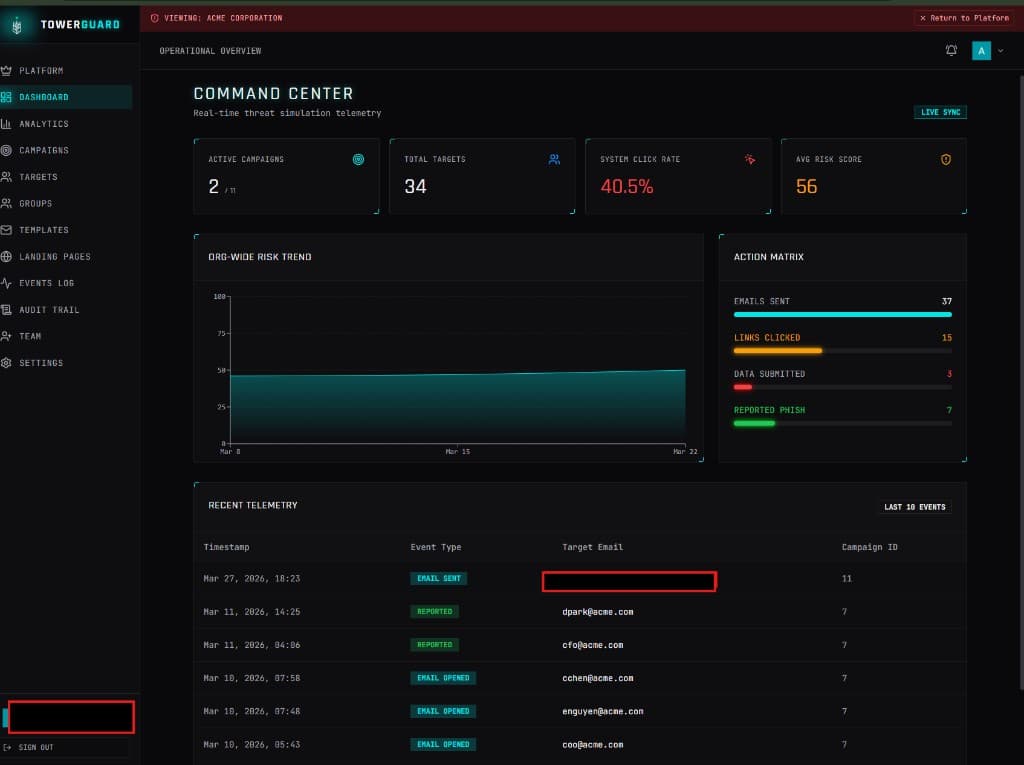
Once you’re inside a company, this is the operational snapshot: how simulations are running, how people are behaving, and what just happened. It’s meant for busy admins who need the story in under a minute.
What you get here
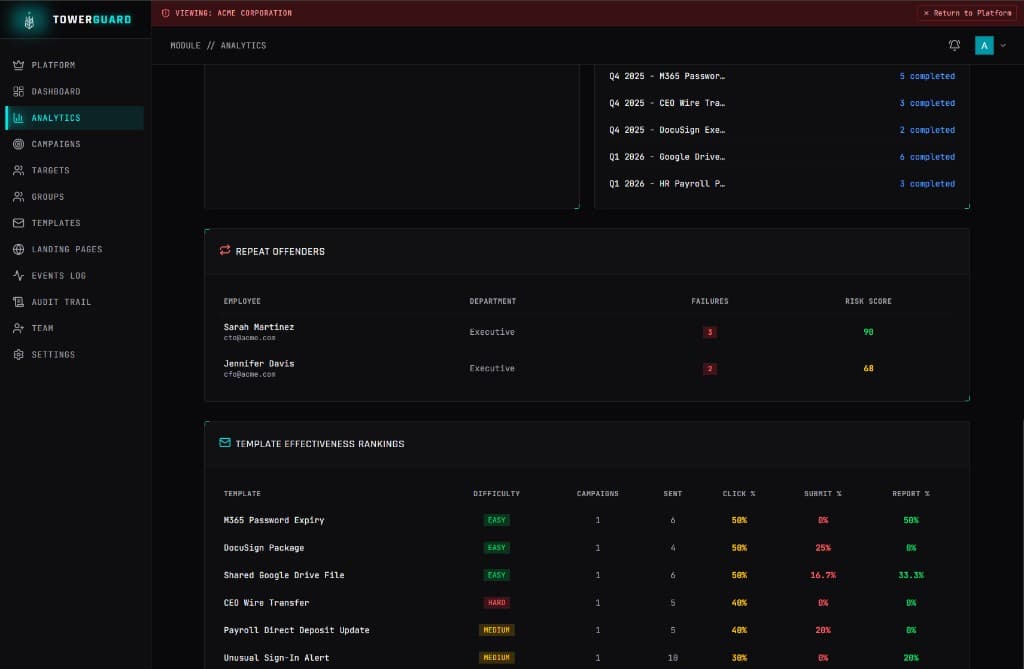
Step 4 of 7
Dashboards are nice, but decisions need detail. This area pulls out the people who keep clicking and the templates that actually move the needle—so you can coach individuals and fix weak content.
What you get here
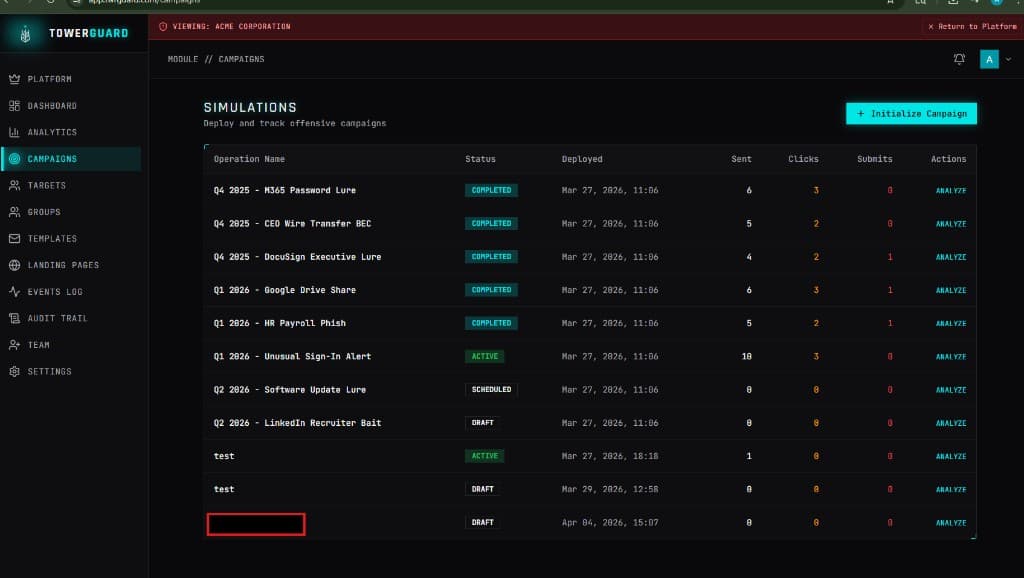
Step 5 of 7
Campaigns are the heart of the product. This screen is where you plan launches, watch progress, and open a run when you want the deep dive. Status badges make it obvious what’s draft, live, or wrapped up.
What you get here
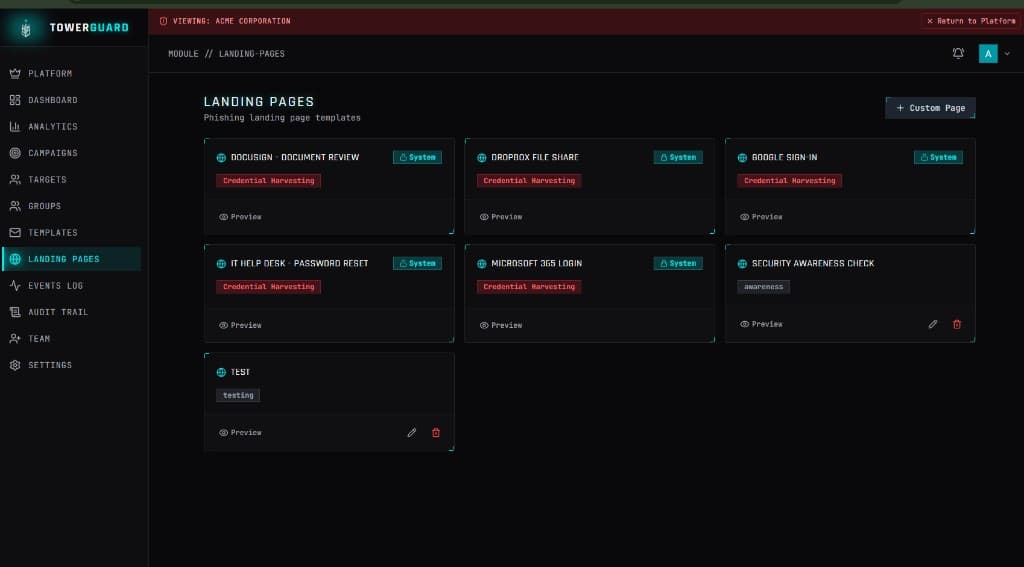
Step 6 of 7
Simulations need believable destinations. There’s a library of realistic system templates (think sign-in and file-share flows), plus room for your own pages when you want something custom or softer than a credential form.
What you get here
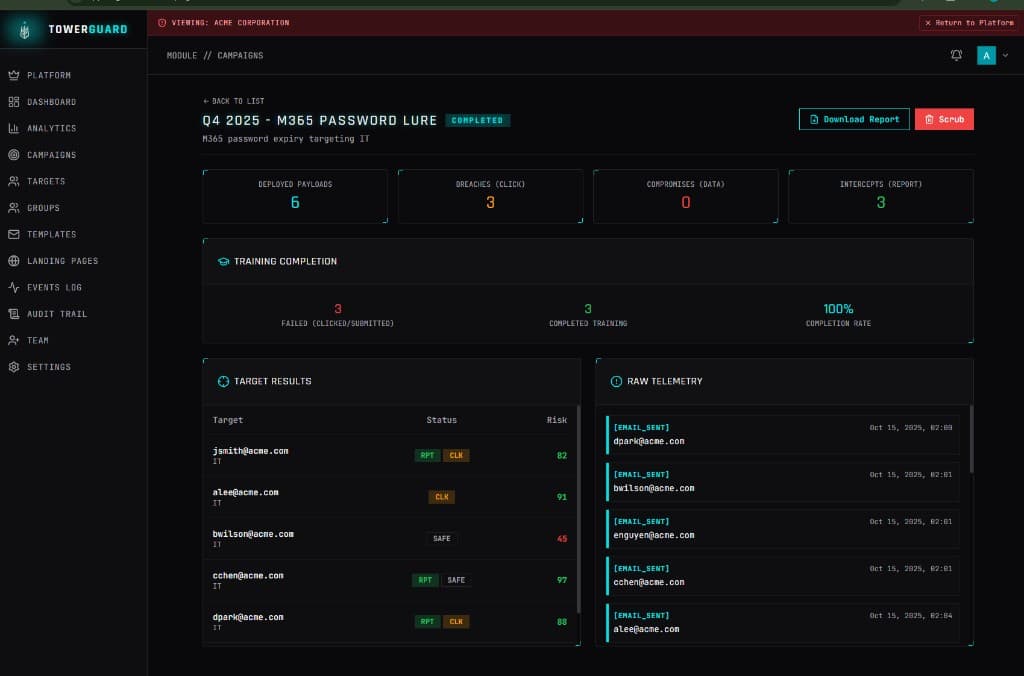
Step 7 of 7
When leadership asks “how did that exercise go?”—this is the answer. You see who clicked, who reported, who finished training, and the raw sequence of events if you need to reconstruct a timeline.
What you get here
If you’re skimming for capabilities, here’s the same product summarized as feature-sized bites—no jargon for its own sake.
If you’re running a product—not a one-off—you need clean separation between tenants. Tower Guard is structured so each organization’s data stays in its lane, with a top-level view for your own team when you need it.
You pick templates, difficulty, groups, and landing pages, then move runs through clear states. When something goes wrong, the design favors safe rollback instead of mystery errors.
Google and Microsoft SSO cut friction on day one. For admins who need stronger guarantees, there’s space in the architecture for extra factors—without making every user jump through hoops.
Each person gets a score that reacts to real behavior: clicks, submissions, reports, and training. Roll it up and you can talk to leadership about trend—not just a single scary number.
Beyond the live UI, there are paths to summarize what happened: who struggled, which templates worked, and PDF-style exports when someone wants a file for the record.
A separate Go service handles delivery and tracking: staggered sends so you don’t look like a blast, sensible rate limits, and guardrails against noisy bots skewing your stats. The API and engine talk to each other with signed webhooks so it’s harder to fake events.
The product includes the follow-up moment after a mistake (education, not shame), plus hooks for reporting suspicious mail from Outlook so good behavior gets credit too.
Important admin actions leave a trail you can search later. When you need to protect privacy in logs, there are toggles to mask the sensitive bits—because security products should model good hygiene.
The short version of why it existed, how we tackled it, and where it landed.
The problem
Smaller security teams still need serious phishing exercises and proof for leadership—but the usual enterprise tools are heavy, expensive, and painful to roll out. The goal was something that felt credible to IT without drowning them in configuration.
What we did
We treated it like a real SaaS: a React front end people enjoy using, an API with clear validation, PostgreSQL for the long-lived data, and a dedicated Go service for the messy world of email delivery and click tracking. Tenant boundaries and signed webhooks weren’t extras—they were part of the first design, not a patch later.
Where it is now
Today it runs end to end: people sign in with SSO, build and launch campaigns, emails go out through a production-style pipeline, events flow back into risk scores and analytics, and teams can pull training and reporting together. It’s deployed on real domains with the kind of hardening you’d expect before inviting paying customers.
Built with
Tell us what you're building and we'll scope the right tier for you.